TL;DR
-
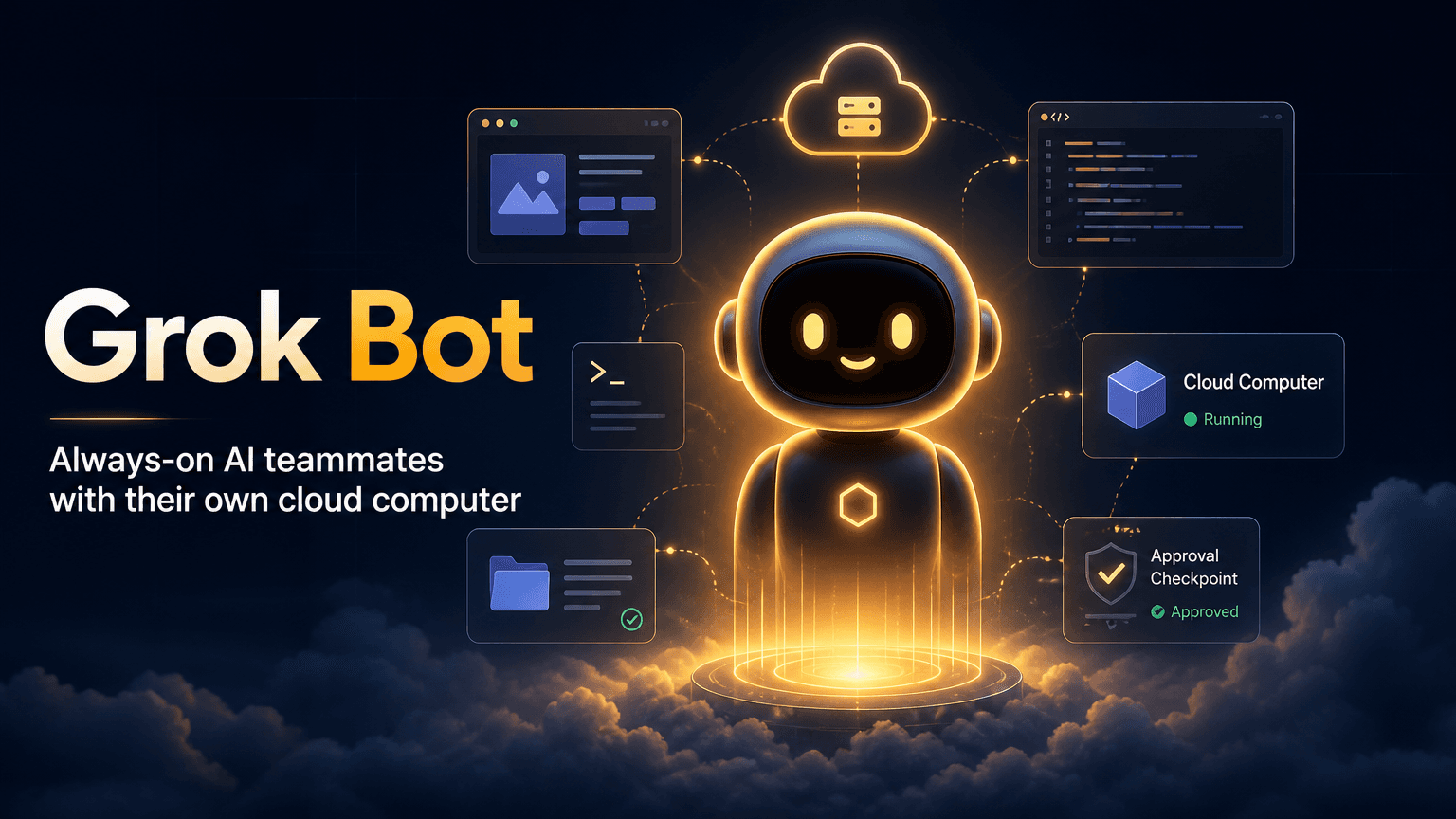
Grok Bot is xAI's August 11, 2026 beta launch: a team of always-on AI agents, each with its own cloud computer , that sign into the apps and websites you already use, finish multi-step jobs end to end, and only come back when something needs approval.
-
The defining design choice is that each Bot runs on a persistent cloud VM — browser, filesystem, and terminal — instead of a reset-per-task sandbox. It works inside real tools, including platforms with no API or MCP, via computer use.
-
Every Bot on your account shares one cloud computer , which means shared browser cookies, files, and command-line credentials. xAI's own docs say plainly: "Do not use separate Bots as a security boundary." This is the release's biggest open question.
-
Pricing is not standalone: Grok Bot rides on SuperGrok Heavy (~$300/mo), Cursor Ultra ($200/mo), or Cursor Teams Premium ($120/seat/mo) — a strategy inseparable from xAI's pending acquisition of Cursor.
-
For solopreneurs, the practical question is not "is it good" but "should one vendor hold the credentials to every tool you use."
1. What Grok Bot Actually Is
Grok Bot is easy to confuse with Grok the model, so the distinction is worth making first. Grok is the model — the reasoning engine behind xAI's products, most recently Grok 4.6. Grok Bot is the agent — a product that wraps a model in a persistent, named teammate with its own computer. The official documentation is explicit: a Bot is "a single persistent, named agent" with durable state, memory, files, browser sessions, and preferences that compound across tasks rather than resetting to a fresh environment every time.
The difference from other agent products is a design choice, not a marketing claim. Most workflow builders let you define a sequence of steps and run it against APIs. Grok Bot instead gives each Bot a full computer in the cloud and lets it do work the way a person would: open the app, sign in, click, type, verify, save. It uses connectors and MCP where they exist and falls back to computer use — visually operating the interface — where they do not. That is why xAI says Bots can work across "apps, inboxes, and more, including platforms with no clean API or MCP," and why the work lands in the real tool rather than as a chat draft. The model behind the product is the same family we covered in our Grok 4.6 analysis, but the product is a different thing entirely.
What Grok Bot is not: an open-weight system, a standalone product, or a local tool. There is no weights release, no self-hosting, and no free tier. It is a managed service running on xAI's infrastructure, and that fact drives both its appeal and its risk profile.
2. The Cloud Computer, Explained
The "computer of its own" framing is not a metaphor. Each Bot runs on a persistent Linux virtual machine with a browser, a filesystem, and a terminal. The VM does not reset between tasks, does not depend on your laptop being open, and persists sessions so you do not re-authenticate for every job. A Bot can start work while you are asleep, continue after you close the app, and hand off partial work to another Bot without repeating setup.
The most important detail is the scope of that computer. The cloud computer is assigned to your user account, not to an individual Bot. Every Bot you create shares the same machine: one browser cookie store, one filesystem, one set of command-line credentials. The docs frame this as a feature — it makes handoffs between Bots effortless, and a single sign-in is available to the whole team — but it is also the architectural decision behind the release's biggest controversy. The screens are separate work surfaces, xAI says; they are not separate security boundaries. One Bot can run only one computer-use task at a time on its screen, but several Bots can use the shared machine in parallel.
The human-in-the-loop design is worth understanding too. Grok Bot does not guess your passwords. When it hits a password, passkey, two-factor code, CAPTCHA, or payment confirmation, it hands control of the computer back to you; you complete only the blocked step and tell it to continue. The docs are explicit that you should not paste passwords or one-time codes into chat — for supported connections, a secure secret request masks the value and keeps it out of the conversation transcript entirely.
Two operational realities follow from the persistent-VM design and shape daily use. First, sessions drop when the computer is recreated or its network address changes — so passkeys stored in the computer's password manager are the recommended way to make re-sign-in fast, and there is a beta setting that routes computer traffic through your own machine to reduce that churn. Second, some websites expire sessions, enforce short timeouts, or demand repeated verification; the documented guidance is to ask the Bot to pause and notify you rather than attempt to bypass the check. In practice, this means Grok Bot is not a set-and-forget system for every site — it is reliable in proportion to how well the sites you use tolerate persistent sessions.
The environment detail also matters for anything you plan to run through it. The cloud computer is a Linux VM, which means device-trust agents like Okta FastPass are not available natively; xAI recommends configuring the computer with install scripts to match your organization's security policies. Hardware security keys do work — WebAuthn prompts in the computer's browser are forwarded to your desktop app and physical key, with Windows support for the forwarding still rolling out. For a solo operator the practical takeaway is simpler: the computer is a real machine with real constraints, and the more you treat it like one — rather than like a magic sandbox — the fewer surprises you will hit.
3. How Teams Use It
Inside xAI, Grok Bot started as an internal prototype and spread across the company before the public launch. The usage patterns that emerged are the clearest demonstration of what the product is for. Sales teams built a Bot that researches accounts overnight, scores contacts by intent, drafts email and LinkedIn messages in each seller's voice, and readies an inbox of drafts for approval. Operations teams run a Bot that seats new hires and processes invoices arriving in Gmail. Engineering teams use a Bot to reproduce a bug in the product UI, file the ticket, and hand the fix to a dedicated debugging Bot.
The coordination pattern xAI emphasizes is the chief-of-staff topology : one Bot sits on top and manages several specialist Bots — one per lane (inbox, expenses, recruiting, bug fixes, operations). Bots message each other directly, share context in threads or group chats, pass ownership of tasks, and only pull the human in for judgment calls. Employees describe the experience as "like having eight arms," with the same workflow shown to a Bot once being trusted to run forever afterward.
The "show a Bot how it's done" pattern is the closest thing Grok Bot has to a setup process, and it is notably different from workflow builders. You ask a Bot to watch you do a job once; it saves the steps as a routine, takes your corrections, and runs the process itself next time. There is no workflow builder to learn, which is exactly what early users cite as the product's strongest trait — "nothing to learn, it was just like bringing on a coworker."
4. The Security Model Everyone Is Debating
This is the section that matters most before you connect anything sensitive. Because all Bots share one account-level cloud computer, every authenticated session, file, and credential on that machine is accessible to every Bot you create. If a Bot managing your email happens to hold a signed-in session to a financial system, any other Bot on the account can reach that session. xAI's documentation is unusually direct about this: "Do not use separate Bots as a security boundary," and the FAQ repeats, "Do not use separate Bots as a security boundary."
Security researchers have flagged this as the release's central risk. The OWASP GenAI Security Project's 2026 State of Agentic AI Security report ranks Agent Goal Hijacking as the single highest-priority agentic AI risk, and controlled experiments found credential-theft outcomes in 70% of agent-based prompt-injection trials. The scenario is concrete: a Bot visits a malicious webpage, gets a prompt-injection payload, and is steered toward any other authenticated session on the shared machine. Because the computer holds real credentials rather than scoped OAuth tokens, the blast radius of a single compromised Bot is the entire account's access.
The practical mitigations are the standard agent-security playbook, applied with the shared-computer model in mind. Treat the entire Bot roster as a single trust zone: use scoped service accounts for anything sensitive, prefer read-only tasks where possible, require human approval for high-stakes actions like purchases or deletions, sign out of services when they are not actively needed, and delete sensitive temporary files after work completes. xAI also notes the cloud computer is separate from your local Mac or Windows machine — a Bot runs local commands only when that capability is explicitly enabled and approved under your local-computer policy.
5. Pricing and the Cursor Connection
Grok Bot is not sold as a standalone product, which is itself a strategic statement. It rides on three existing subscription tiers: SuperGrok Heavy (xAI's own top tier, roughly $300/month), Cursor Ultra ($200/month), and Cursor Teams Premium ($120 per seat per month). Enterprise customers are routed to a waitlist rather than given immediate access. There is no free tier and no trial except a one-time trial Cursor offers — so for most people, evaluating Grok Bot means buying an expensive plan of something else first.
The Cursor coupling is not incidental. xAI — now operating as SpaceXAI after its merger with SpaceX — has agreed to acquire Cursor, with the deal expected to close in Q3 2026. Grok Bot's authentication, privacy settings, and SSO all run through Cursor's account system: team members sign in with their Cursor account, existing Cursor SSO applies, and training opt-out follows Cursor account privacy settings. The product roadmap is effectively xAI's bet that the desktop coding-agent relationship — which Cursor owns — is the right front door for a general agent product. A user already paying for Cursor Ultra gets Grok Bot as an included teammate layer, which both deepens Cursor's lock-in and gives Grok Bot distribution it could not buy alone.
The privacy policy has a notable line: Grok Bot requires data storage and does not support Legacy Privacy Mode. Teams on the legacy privacy mode see the product blocked entirely until an admin changes the setting. That is worth knowing before a team with strict data policies evaluates the product.
6. Where Grok Bot Fits in the Agent Landscape
Grok Bot is best understood as one pole of a philosophical split that crystallized in August 2026. The same week xAI shipped Grok Bot, DeepSeek open-sourced a harness built on a reversible plugin kernel — and the two products could hardly disagree more about where agent infrastructure should live. Grok Bot says the agent is a teammate and the computer is the vendor's; you delegate, it does the work, and you approve. DeepSeek's approach says the agent is a composition of swappable parts and the computer is yours; you hold the kernel and the plugins. The first optimizes for outcomes, the second for control. We unpack the plugin-kernel side of that split in our Cordis framework explainer.
For a solopreneur, the honest framing is not "which is better" but "which trade you can live with." Grok Bot's appeal is concrete: work that genuinely gets finished in the real tools, multi-Bot coordination you do not have to babysit, and zero workflow-building. Its cost is equally concrete: one vendor holds the credentials to every tool you use, your entire Bot roster is a single trust zone, and you cannot move your agents off the platform. If you already live inside Cursor and the subscription price is acceptable, the incremental cost of adding Grok Bot is low and the capability is real. If your work touches systems where credential concentration is unacceptable — finance, regulated data, client accounts — the shared-computer model is a hard constraint, not a preference. For a framework on how the model layer beneath these products compares when cost is the binding constraint, see what is a DeepSeek Agent.
Conclusion
Grok Bot is the most legible bet yet on what an AI agent product should feel like: a persistent teammate with its own computer, messageable like a colleague, capable of real multi-step work across the tools you already use. The product execution is genuinely good — the cloud computer is a real architectural commitment, the watch-and-learn pattern removes the setup tax, and the chief-of-staff topology is a sensible answer to the multi-agent management problem.
The reservation that follows every point of praise is the security model. When a product holds your real credentials on a shared machine, the trust conversation stops being about capability and becomes about blast radius. The documentation is honest — it says plainly not to treat Bots as security boundaries — and the mitigations are the standard agent-security playbook, but the fundamental concentration of access is the design, not a bug. For solopreneurs the decision is straightforward even if it is not easy: if you can live inside one vendor's trust zone and the Cursor-based pricing works for you, Grok Bot is a real productivity gain. If your work cannot tolerate that concentration, it is a non-starter regardless of how good the demos are.
Frequently Asked Questions
What is the difference between Grok and Grok Bot?
How does Grok Bot access my apps?
Is Grok Bot secure?
How much does Grok Bot cost?
Can Grok Bot run on my own computer?
How does Grok Bot compare to open-source agent harnesses?
https://floatboat.ai/blog/grok-bot