
Best AI Agent Builder in 2026
Best ai agent builder options in 2026 should be compared by setup effort, workflow fit, limits, and maintenance burden.
Hi, I'm Nova. I've been building small AI agents on and off for about eight months now — mostly research-to-draft pipelines and a few lead-routing workflows for client projects. Every few weeks someone asks me some version of the same question: which best ai agent builder should I use?
My honest first reaction is: it depends on what you're comparing. But I also hate that answer, so I'm going to give you a more useful one. Not a ranked list — those don't help. Instead: how I think about picking a builder, what one real workflow revealed about each category, and a decision table that reflects how people actually work.
What to Compare Before Choosing a Builder
Most reviews lead with integration counts and pricing tiers. Those matter, but they're not where the decision actually lives.
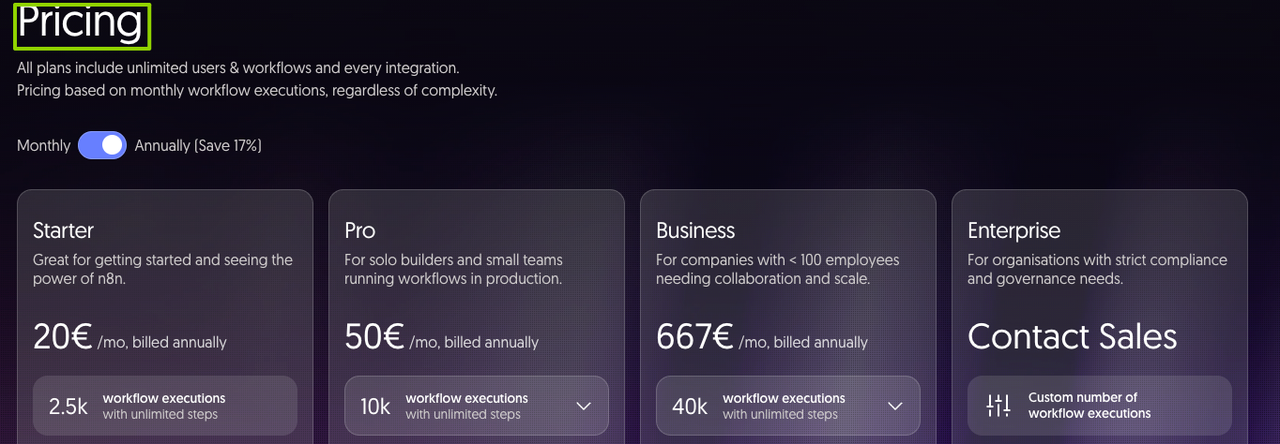
The first thing I look at is the billing model. Not the headline price — the unit of billing. Zapier charges per task, where every individual action in a workflow counts separately. Run a 10-step Zap 1,000 times and you've burned 10,000 tasks. n8n charges per execution — one workflow run counts as one unit, regardless of how many steps are inside. Make bills per "operation," where each module counts individually. I went and verified the current numbers: according to n8n's official pricing page, the cloud Starter plan sits at €24/month for 2,500 executions; Zapier Professional starts at $19.99/month for 750 tasks on annual billing. At equivalent complex-workflow volume, the math favors n8n significantly — a 10-step workflow on n8n costs the same as a 1-step workflow, while that same automation on Zapier burns 10 tasks per run.
The second thing: does the platform actually support agents, or does it just call an AI API? There's a real difference, and I've gotten burned by this. Calling an OpenAI endpoint inside a Zap is not an AI agent — it's a fixed sequence that happens to include a language model. An actual agent needs memory across runs, the ability to decide which tool to call based on context, and preferably some kind of human checkpoint when confidence is low. Most platforms added "AI agent" to their homepage in 2025 without adding the underlying architecture to back it up.
Third: the maintenance question. I'll come back to this — it's the thing almost no review touches.
Builder Types by Skill Level
No-Code, Low-Code, Developer-First, and Workspace-Native
The category you belong in is less about technical skill level and more about what you're building and what you're willing to keep running long-term.
No-code builders — Zapier, Make with its Maia AI assistant, Lindy — are optimized for getting a working automation up fast. Zapier launched Zapier Agents for autonomous task execution across its 8,000+ app ecosystem. If you can describe your workflow in plain English, you can often build a first version in under an hour. The honest tradeoff: you hit a ceiling quickly. Complex branching logic, persistent memory across sessions, custom business logic — these either require workarounds that are painful to maintain, or they're just not possible.
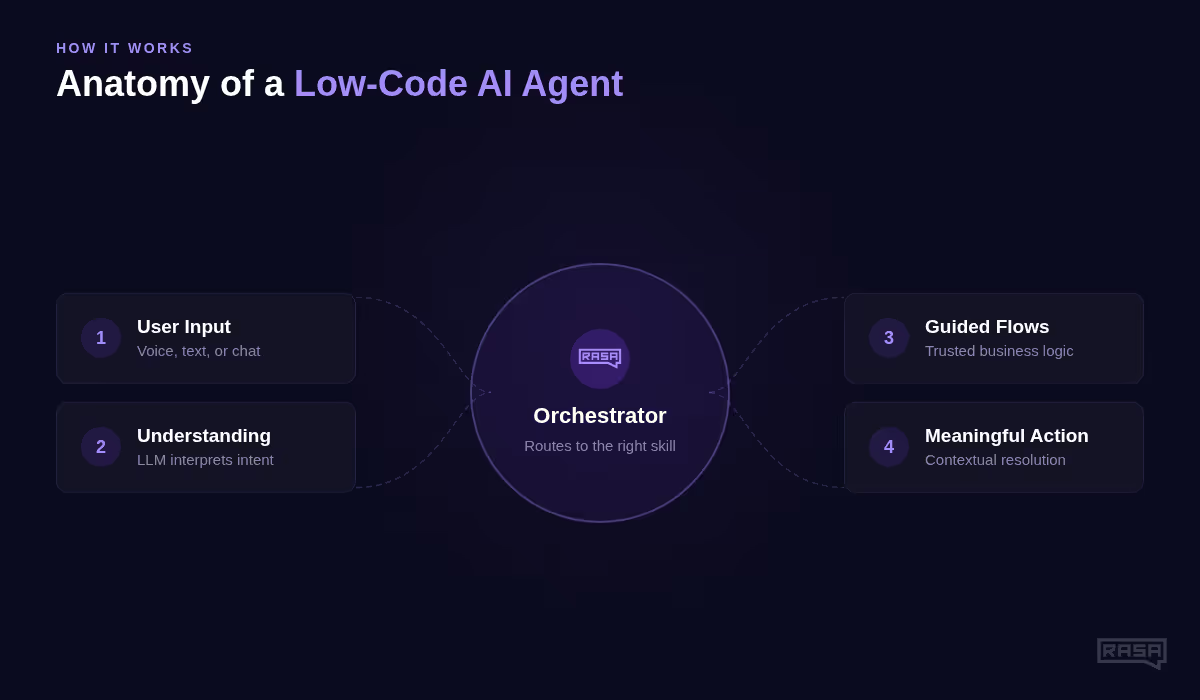
Low-code builders — n8n, Dify, Flowise — sit in the middle. You work in a visual canvas but can drop into JavaScript or Python when you need to. n8n 2.0 shipped in January 2026 with native LangChain integration and 70+ AI nodes, making it probably the most capable option in this tier. Dify takes an all-in-one approach — agent design, RAG pipelines, and observability in a single platform. Flowise is purpose-built for LangChain workflows with a drag-and-drop interface that's more approachable than writing Python directly. According to the Rasa guide on low-code AI agent platforms (April 2026), all three offer free self-hosted deployments, which is a meaningful cost consideration.
Developer-first frameworks — LangChain, LangGraph, CrewAI, AutoGen — give you the most control and the highest ceiling, at the cost of significant setup time. LangChain remains the dominant standard, and LangGraph adds explicit state management and graph-based orchestration for multi-agent systems. According to the StackOne 2026 AI agent tools landscape, CrewAI has reached 60%+ Fortune 500 adoption for role-based multi-agent setups. These frameworks are free or open-source; the real cost is engineering time.
Workspace-native builders — Microsoft Copilot Studio, Google Vertex AI Agent Builder, Salesforce Agentforce — are the path of least resistance if your organization is already deep in one of those ecosystems. The tradeoff is vendor lock-in and pricing tied to enterprise licensing tiers that are hard to predict at the start.
I haven't tested Copilot Studio or Vertex AI myself for agent use cases — just seen demos. Not pretending otherwise.
Test Every Builder with One Real Workflow
Here's the workflow I've been using as a calibration test: inbound lead research and routing . When a form submission comes in, the agent looks up the company, scores the lead against a few criteria, routes it to the right Slack channel or email, and drafts a first-touch message. Simple enough to build quickly; complex enough to reveal real limitations.
On Zapier : Got a working version in maybe 45 minutes using Zapier Agents. Felt fast. Then I looked at the task count — a single lead processed through 12 steps means 12 tasks per run. At 200 leads a month, that's 2,400 tasks just for this one flow. The Professional plan caps at 750. Worth knowing before you commit. Also: memory between runs isn't native. The agent doesn't know if it's seen this company before without an external database workaround.
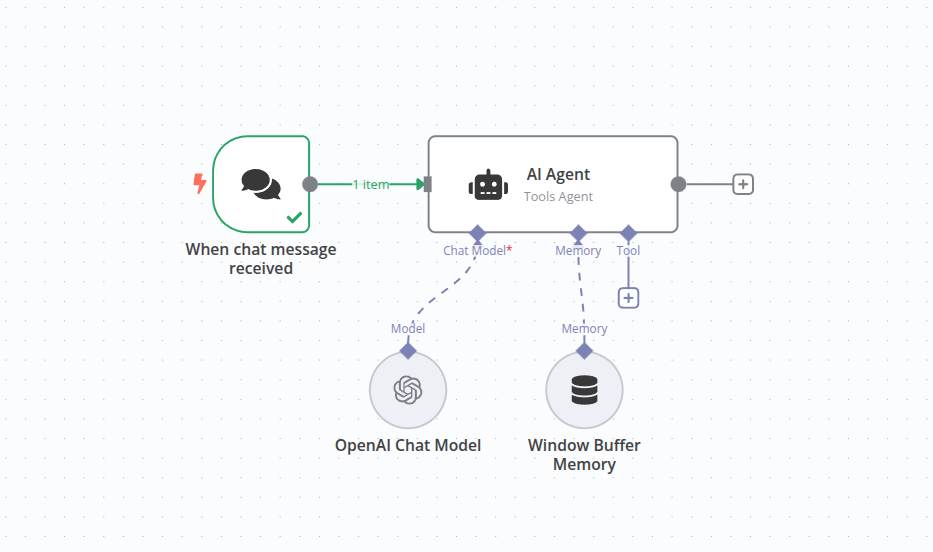
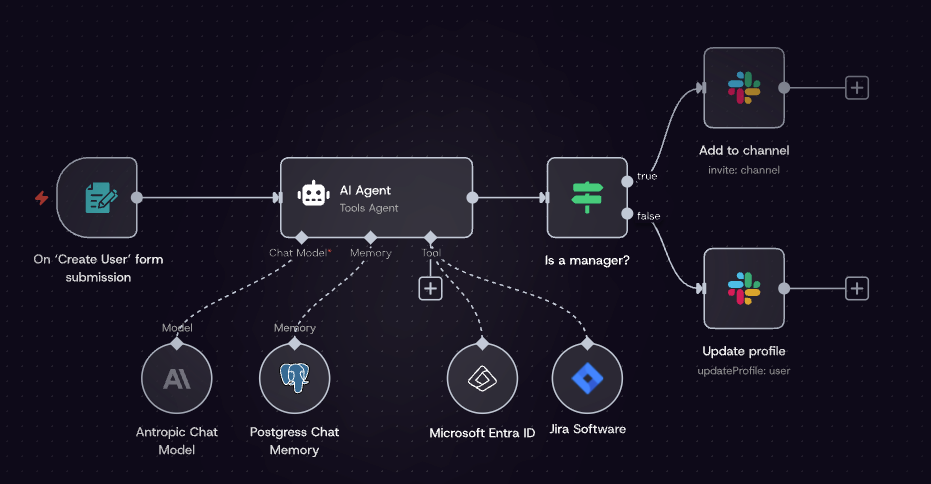
On n8n : Took longer to set up — maybe 90 minutes the first time, mostly because I kept getting tangled in JSON syntax for HTTP nodes. Once it was running, I added persistent memory using a Postgres node (n8n 2.0 supports this natively through its Memory Nodes — the n8n AI agent documentation explains how these chain together). The whole flow counts as one execution per lead. At 200 leads a month, that's 200 executions — easily within the Starter plan. I ran it twice just to make sure the memory piece wasn't a fluke. It wasn't.
On Flowise : Good for people already comfortable with LangChain. Had a working chain in about an hour. Self-hosted is free. The ceiling is lower than n8n for complex multi-step orchestration, but for straightforward agent workflows it holds up.
On LangGraph : I have enough Python background that setup wasn't a blocker. But if you're not comfortable reading API docs and debugging async code, the ramp is real. That said, the control you get over agent state and conditional branching is unmatched — if your agent needs to take different paths based on intermediate results, this is where that becomes clean rather than hacky.
Maintenance Limits Most Reviews Miss
Here's the thing nobody talks about.
Most AI agent builders get reviewed at build time. Nobody comes back three months later to see what's still running.
Agents break for a few predictable reasons: an API the agent calls changes its response format, a trigger source updates its behavior, or an LLM update shifts the output your downstream steps expected.
No-code platforms break invisibly. A Zapier workflow that silently fails because a field name changed keeps counting tasks without producing results. You find out when someone asks why no leads got routed last week.
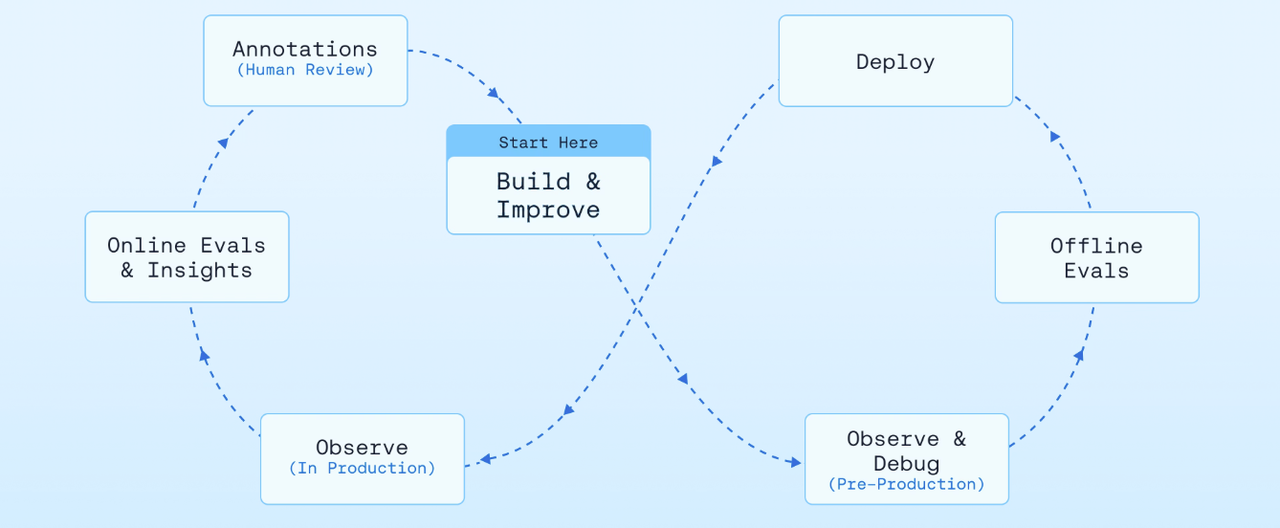
Low-code platforms with logs are better. n8n has built-in execution logs — I can see exactly where a workflow failed and why. Dify includes monitoring. These aren't glamorous features, but they're what keep an agent from becoming a two-week experiment you have to rebuild.
Developer frameworks break loudly — errors surface in your code, traces appear in tools like LangSmith. The LangChain documentation on LangSmith tracing covers this well. Real overhead to configure, but the visibility is worth it for anything running in production.
My rule of thumb: if you're not going to check on it at least once a week in the first month, pick the platform with the best native logging.
Decision Table by User Type
A few honest clarifications before you pick a row:
If your work doesn't involve conditional reasoning — if you just need "when X happens, do Y" — you probably don't need a full agent builder. A basic automation tool is simpler, cheaper, and easier to maintain. The best ai agent builder for your situation might genuinely be no agent builder at all.
If data sovereignty matters — healthcare, legal, finance — the only real options are self-hosted: n8n Community Edition (free, unlimited executions), Dify, Flowise, or a developer framework you deploy yourself. Cloud-only platforms like Vertex AI Agent Builder and Copilot Studio require sensitive data to leave your infrastructure. For regulated industries, that's often a hard blocker.
Okay, that's my honest read. The no code ai agent builder category has gotten genuinely good — meaningful automation without writing a line of code is real now. But the gap between "agent" and "automation with an AI step in the middle" is still real, and billing models still catch people off guard if they don't read the fine print.
For most people who work the way I work — solo projects, cost-conscious, wanting real agent behavior without DevOps overhead — n8n is the cleaner answer in the low-code tier. For developers who need maximum control, LangGraph is worth the ramp. Starting out and need something working by tomorrow? Start with Make. You can always migrate.
That's my take. You'll have to decide what fits your situation.
Previous Posts:
-
Trying to decide between AI agents, automations, and workspaces? This breakdown explains where each category actually fits in solo workflows → Workspace Agents vs Workflow Builders
-
Before choosing a builder, it helps to understand what “agentic AI” really means — and where most tools quietly hit their limits → AI Agent Tools for Solo Operators
-
If you’re building your first workflow, this guide walks through how to start with one boring repeated task instead of overengineering everything → AI Workflow for Solo Founders
-
n8n, Make, and other workflow tools are powerful — but here’s why context and memory become the real bottleneck as agents get more complex → Why AI Forgets Between Sessions
-
Curious where workspace-style agents fit compared to standalone builders? This piece explains the bigger shift toward cross-app AI workflows → AI Workspace Agents for Solo Operators
Frequently Asked Questions
Which AI agent builder should I choose in 2026?
What should I compare before choosing a builder?
Do free or self-hosted builder options include useful integrations?
Can I export or move what I build later?
What happens when a builder hits its limits?
How should I test a builder before committing?
https://floatboat.ai/blog/best-ai-agent-builder-2026